


Limiting Which Notifications You Receive

Nov 15, 2016
 115
115
On the Top Row Menu, click “My Settings.”

Scroll down to the "Notification Preferences" section.
On the right side of the "Staff New ticket Notification" row, (visible once you move your mouse over the row), click "edit".
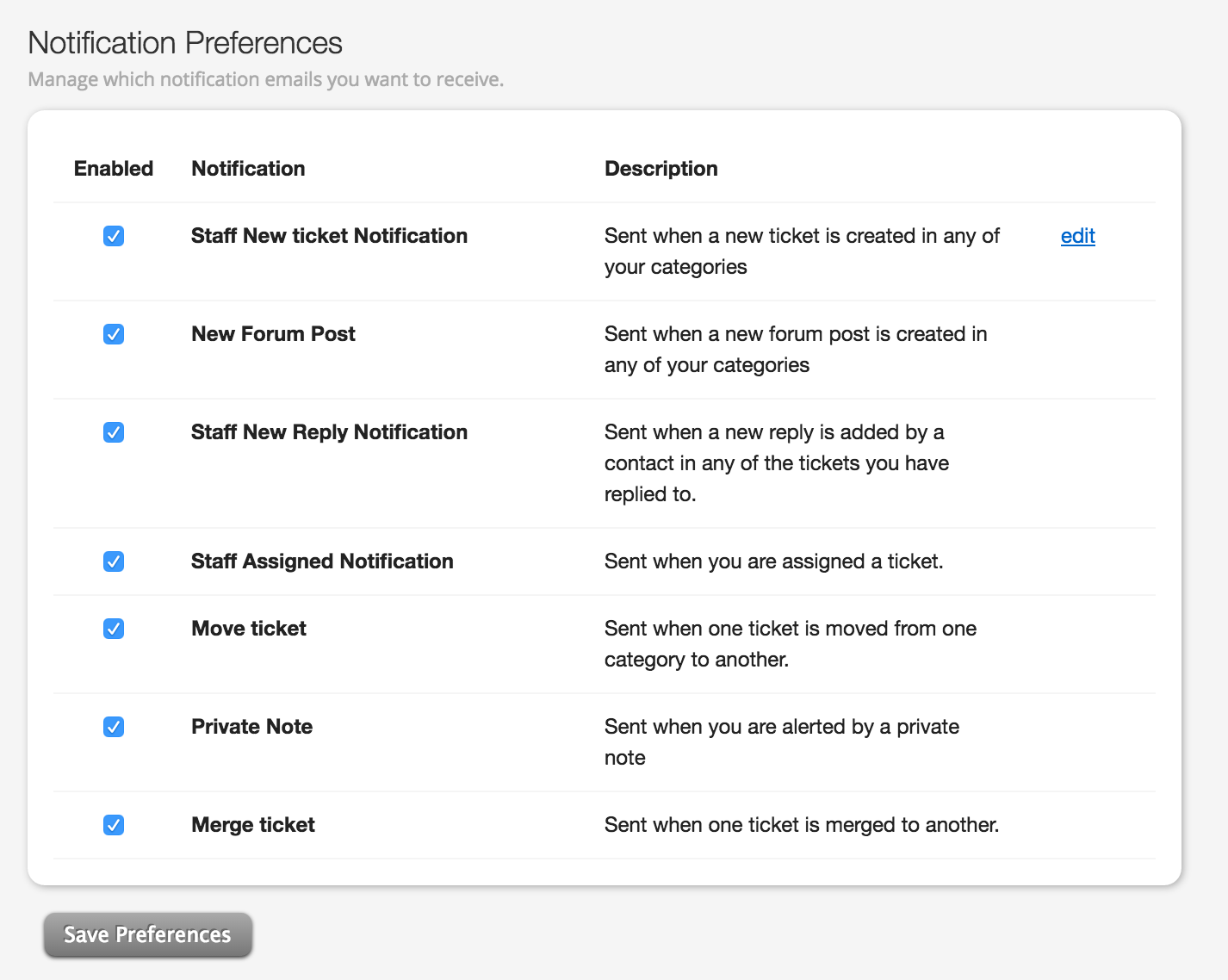
To receive only notifications relevant to you, uncheck "Staff New Ticket Notification."
Click "Save Preferences."
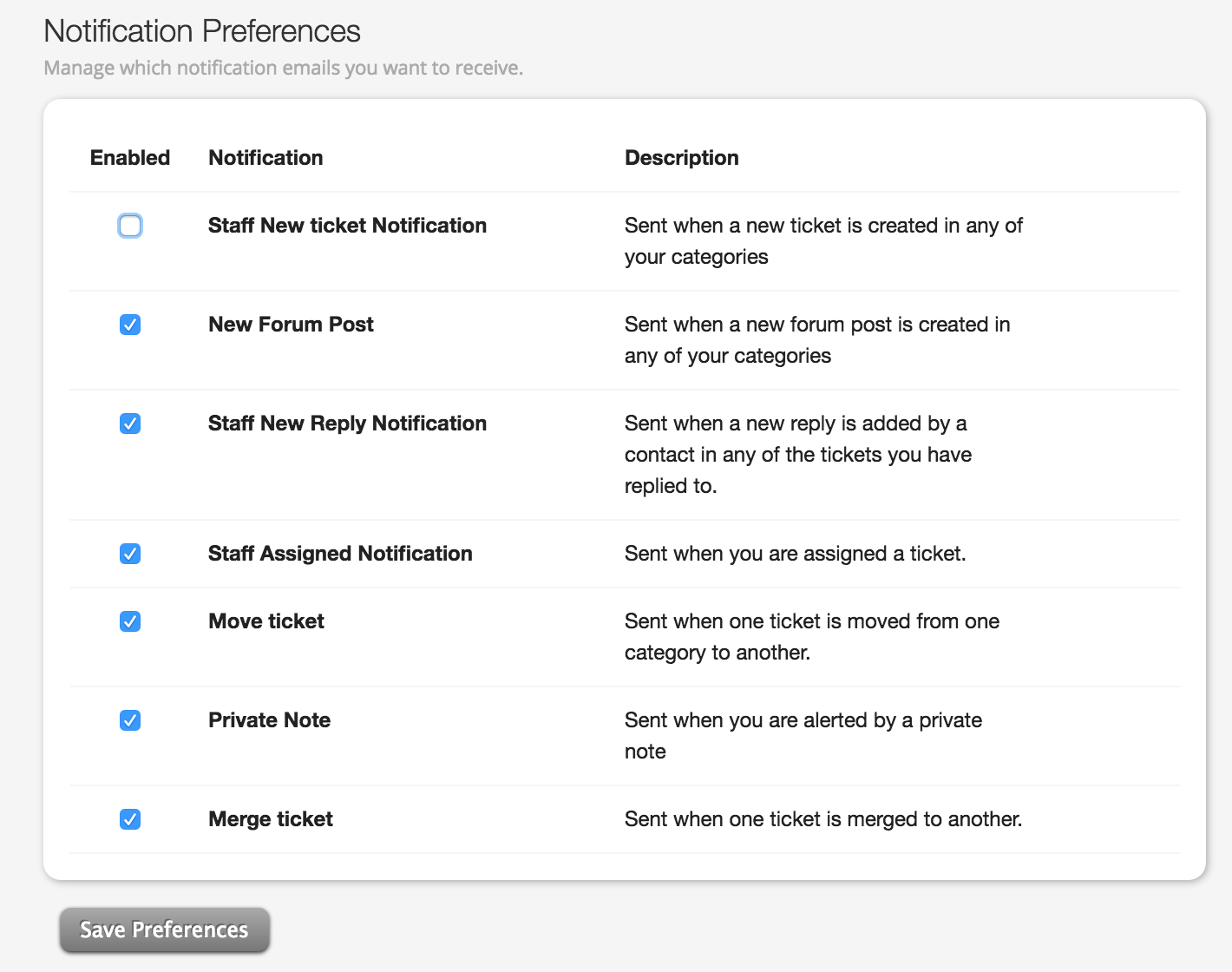
Done.

